Getting Started in Merge a Spinner
A clean first hour on Roblox: two tops, one merge, then income that survives a short break.
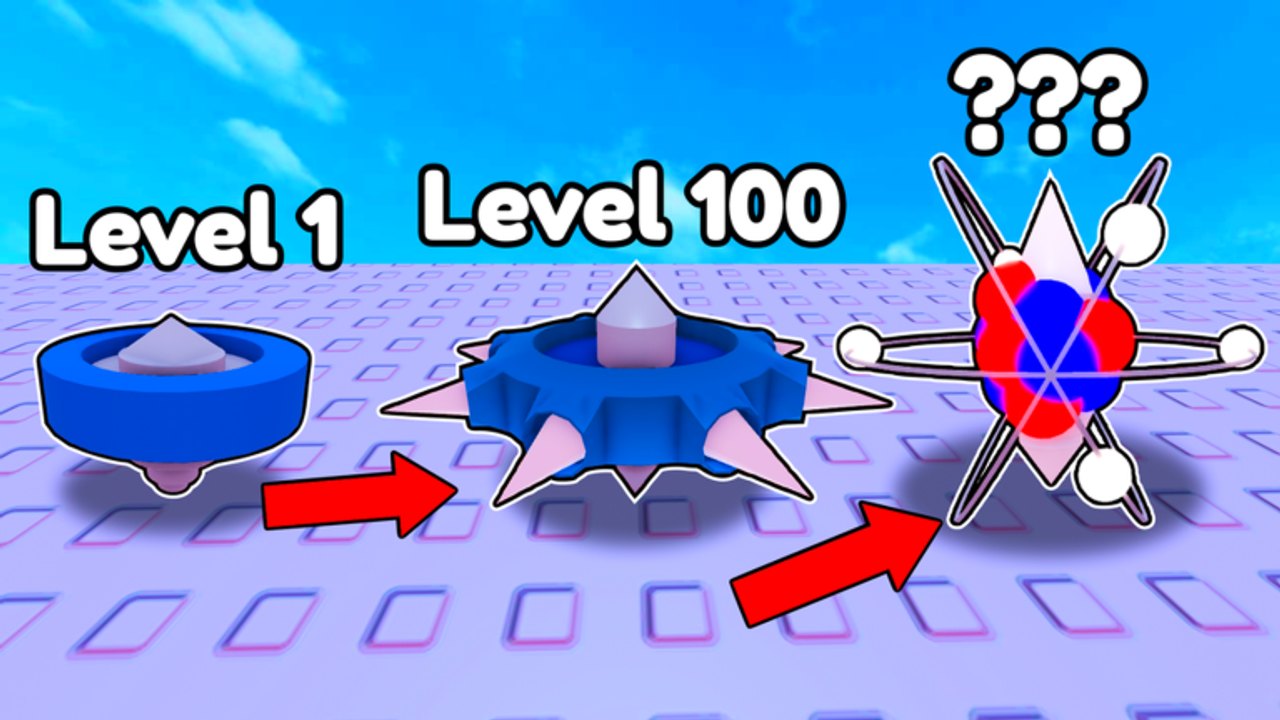
Merge a Spinner is a free Roblox tycoon from Flapjack’s Games. You drop spinning tops on a lane, merge matching pairs, and let the higher tier grind enemy waves for coins. The experience launched 18 July 2026, supports Desktop, Mobile, and Console, and runs eight-player servers. This page is the first hour if you have never claimed a plot.
Play here: Merge a Spinner on Roblox.
Minute zero: account setup
Join Flapjack’s Games, like the experience, and favorite it before you buy anything. Those clicks are the only group rewards you can claim today. Then open the codes hub in another tab so a sudden drop does not catch you inside a tutorial lock.
If the tutorial still covers the HUD, finish it. Shop, merge, and raid buttons often stay hidden until the first prompt completes. The controls page lists the prompts per device if a button is under your thumb.
Your first two purchases
Do not buy one spinner and watch. Buy two matching starters. Official art shows the rule in one frame: 1 + 1 = a green spiked top. Place both on the lane, merge them, and you already out-damage a single blue starter against the red spiked wave that opens most boards.
If the shop only offers one starter because you are broke, wait for the first coin drip rather than spending Robux. Offline and live waves both pay coins; a two-minute wait is cheaper than a panic purchase.
Place, then merge, then replace
Placement matters. A spinner in the back of the lane chips enemies late. A spinner at the front soaks contact. Early on, put your highest tier where the red pack enters, and keep a matching pair in reserve so you can merge without leaving a hole. How to merge covers the cases where you should not combine a pair yet — usually because you need two bodies on the lane more than one fancier body.
When you unlock a better top, replace the weakest slot. Community auto-tools even have a “replace with better” toggle because the live game rewards that habit. Do it by hand: sell or merge the leftover starter instead of cluttering the plot.
Spend order for the first 30 minutes
- Second matching spinner.
- Merge into tier 2.
- Spawn tier so the next purchase is not another tier-1.
- Extra lane slot or merge speed if the shop offers it.
- Ignore trails, name tags, and anything that does not raise damage or income.
This order is the entire upgrade priority argument in miniature. Cosmetics can wait until a rebirth exclusive is already on the board.
First raid attempt
Do not queue a raid because the button is glowing. Raids exist — the official description calls them out for better rewards — but a leaky lane wastes the entry. Your highest spinner should clear a normal wave without you babysitting every merge. Then read the raids guide and try one run. If you fail, spend the coins on spawn tier, not a second raid ticket.
First logout
Before you leave, fill the lane with the highest matching tiers you can, start a wave if the game needs an active start, and confirm offline income is described on the HUD. Offline farming is how this title stays a tycoon instead of a clicker you must babysit. A board of mismatched leftovers earns less while you sleep than one merged green spiked top and a clean spawn tier.
What success looks like after one hour
You have joined the group, you have at least one merged spinner on the lane, spawn tier has moved once, and you know where Shop lives for the first code redeem. You have not rebirth yet. You have not bought Robux luck. That is a good first hour. Next reads: how to get coins, the spinner tier list, and the merge planner.
Frequently Asked Questions
Quick answers for Merge a Spinner on Roblox.
Is Merge a Spinner free?
Yes. It is free to play on Roblox. Robux shops exist in most tycoons; you do not need them for the first hour.
Should I rebirth in the first hour?
No. Build a lane that holds, raise spawn tier, then use the rebirth checklist.
PC, phone, or console?
All three work. Paste codes on phone, grind on whatever screen is comfortable. See controls.
The tutorial hid the Shop button.
Finish the prompts, then rotate the camera. On mobile, landscape mode usually reveals the left HUD.